Stop sharing passwords in Notion pages!
Finally, a password manager and account organizer that's actually nice to use 🙏 Every project is its own encrypted silo, with true zero-knowledge sharing — without the complexity.





Secure by design, not by marketing.
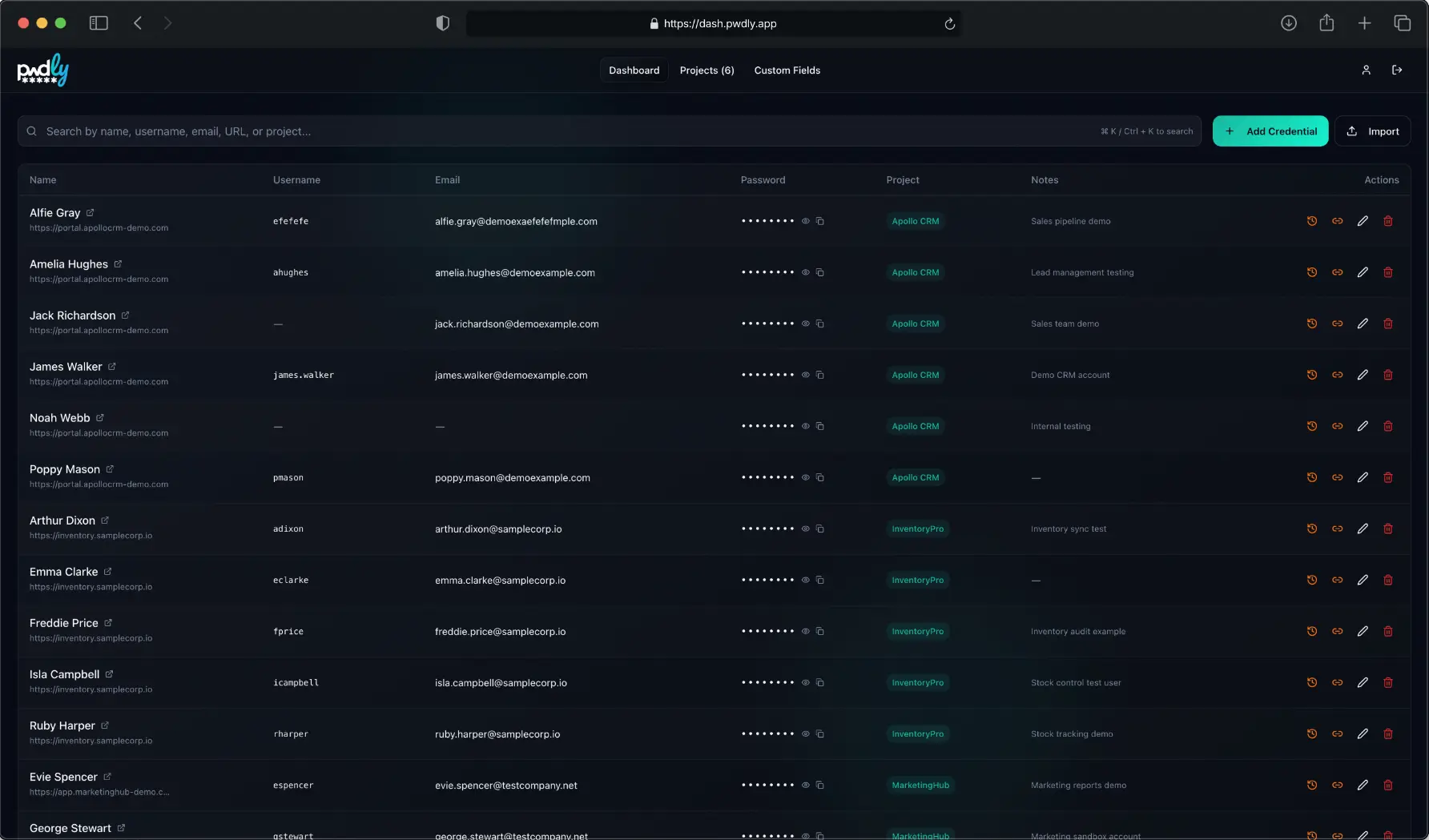
Security that doesn't get in your way
Built for teams who need security without the enterprise complexity. Every feature designed to make your life easier, not harder. Read the technical security model or see how it works.
Zero-Knowledge Encryption
Your 3-word recovery phrase derives the key that decrypts your vault - entirely in your browser. We never see your passwords, keys, or plaintext. Ever.
What our database stores →Encrypted Project Silos
Every project is its own encrypted silo — its own key, its own members, its own blast radius of zero. Share only what's needed with the right people.
Anatomy of a project invite →Team Collaboration
Invite teammates in seconds. Granular permissions keep everyone in their lane.
Enforced 2FA
Two-factor authentication isn't optional here. Every account is protected by default.
Shared TOTP Codes
Attach an authenticator secret to any credential. Every team member with project access gets a live, auto-refreshing code — no separate app needed. Use your phone as a scanner if your desktop lacks a camera.
Inside shared TOTP codes →Auto Screen-Lock
Walk away from your desk? Pwdly locks automatically. No more 'I forgot to lock my computer' moments.
Instant Sync
Changes sync across all team members in real-time. Everyone always has the latest credentials.
Custom Fields
Securely store custom fields for your projects. No more hunting for specific information.
Import in One Click
Migrating from Chrome, Firefox or another manager? Import via CSV or JSON, or drop in a Chrome/Firefox export — everything is encrypted in your browser before it leaves.
Browser Extension
Chrome & Firefox extension with zero-knowledge autofill, encrypted save prompts, and built-in TOTP codes — search and fill without leaving your tab.
Meet the extension →Built for the moments your team actually shares passwords
Real screens from the product. No mockups, no marketing dashboards.
Every project, its own encrypted vault
Organize and group credentials by client, environment or team. Each project has its own key and its own members — so a compromised invite never spills into the rest of your business.
Under the hood, each project has its own Project Key, wrapped with each member's personal Master Key using XChaCha20-Poly1305. Removing a member revokes their wrapped copy without ever exposing plaintext to the server.
How member revocation works cryptographically →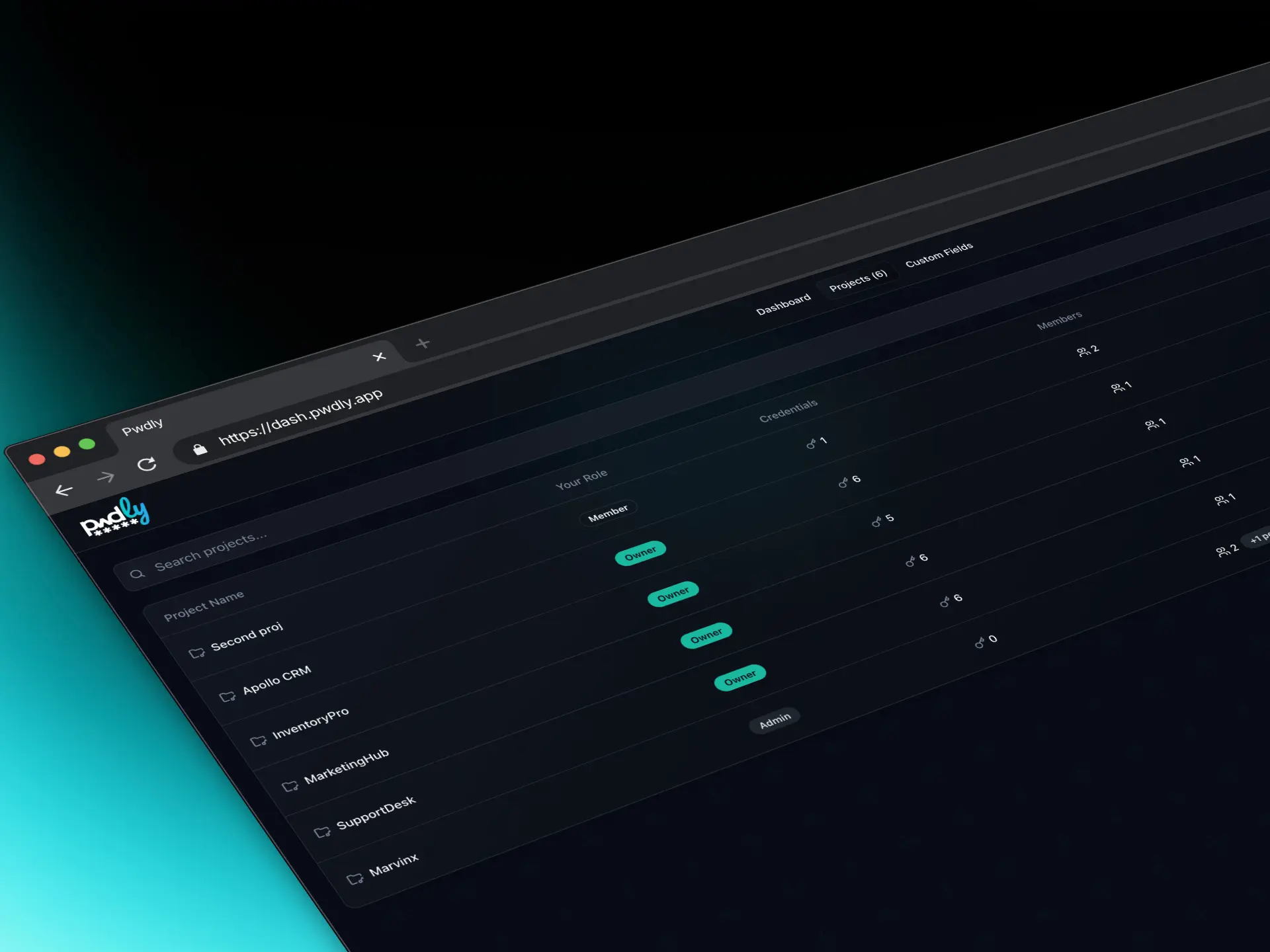
TOTP codes your whole team can use
Attach a TOTP secret to any credential and every authorised team member gets a live, auto-refreshing six-digit code — no separate authenticator app, no manual handoff. One credential, one encrypted secret, shared through the project.
TOTP secrets are encrypted with the project key in the browser before leaving your device. A phone-as-scanner mode handles the common case where your desktop has no camera: Pwdly opens a short-lived, single-use pairing channel, your phone scans the service's QR code, and the secret is returned over an end-to-end encrypted Realtime connection — the server only ever sees ciphertext. The session expires automatically after five minutes.
How shared TOTP codes work in Pwdly →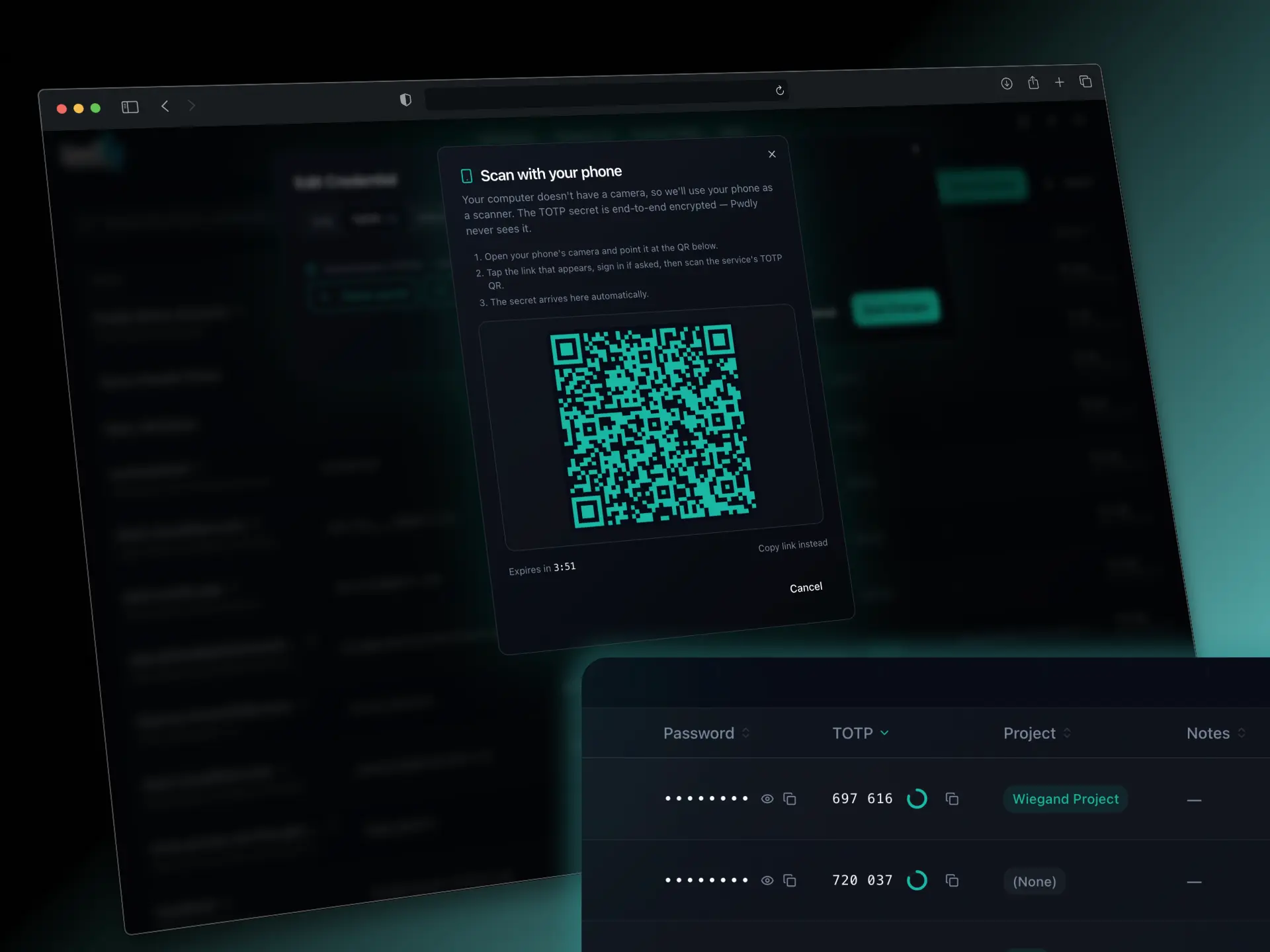
Invite teammates in seconds, not sprints
Share access by project with granular roles. Invited members gain access through a secure, one-time handshake using a 6-digit code you pass to them directly, out-of-band, away from Pwdly.
The 6-digit code is combined with the invitee's email and run through Argon2id to derive a one-time Invite Key. That key unwraps the Project Key in the invitee's browser, which is then immediately re-wrapped with their own Master Key — the server only ever sees opaque ciphertext.
The anatomy of a project invite, step by step →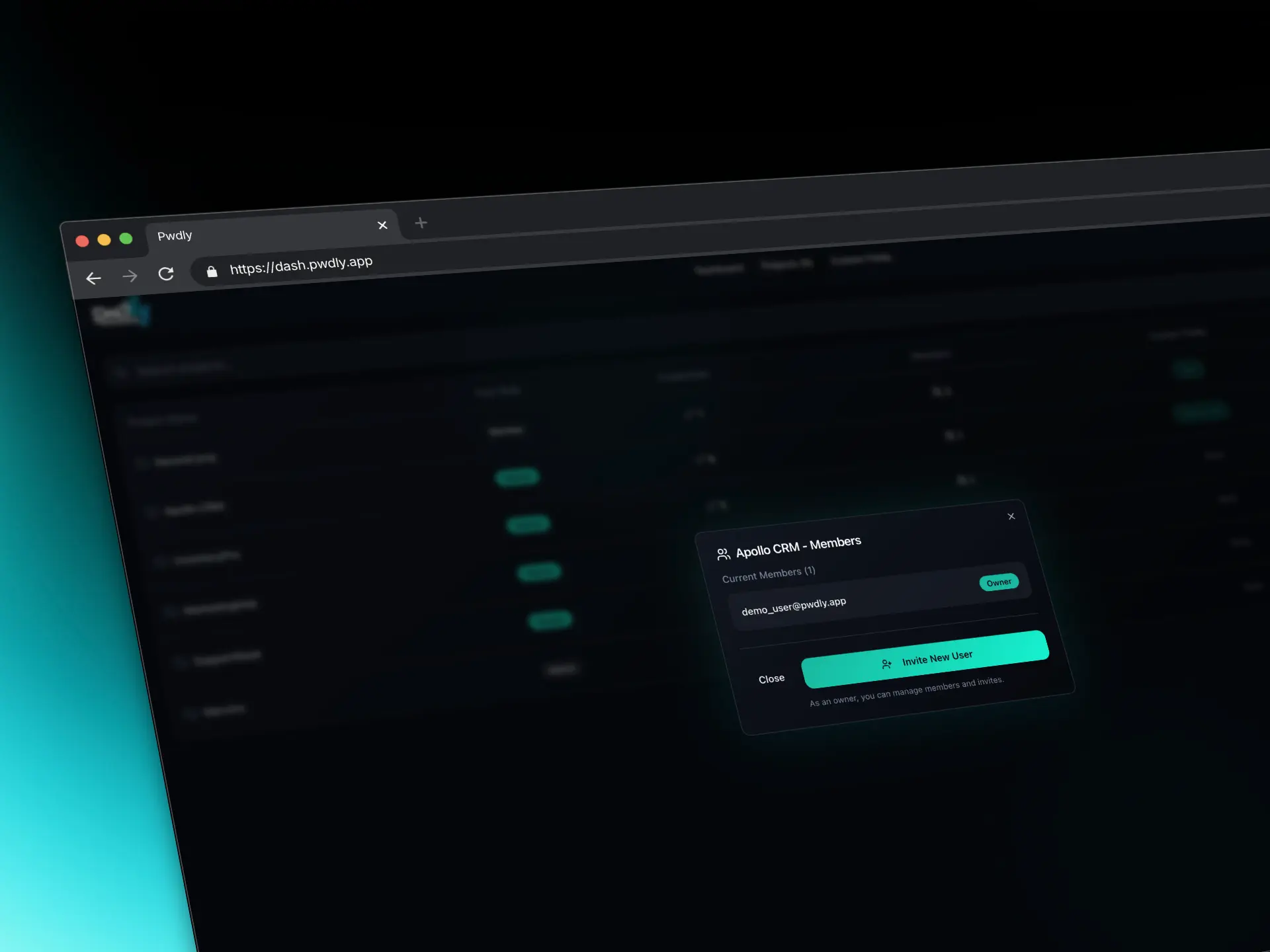
More than a username and password
Store API keys, recovery codes, certificates and free-form notes. Every field is encrypted in your browser before it touches the internet.
Each field is sealed individually with XChaCha20-Poly1305 using a unique random 24-byte nonce, so any tampered or corrupted value fails authentication on decrypt rather than silently returning the wrong data.
Why we use XChaCha20-Poly1305 over AES-GCM →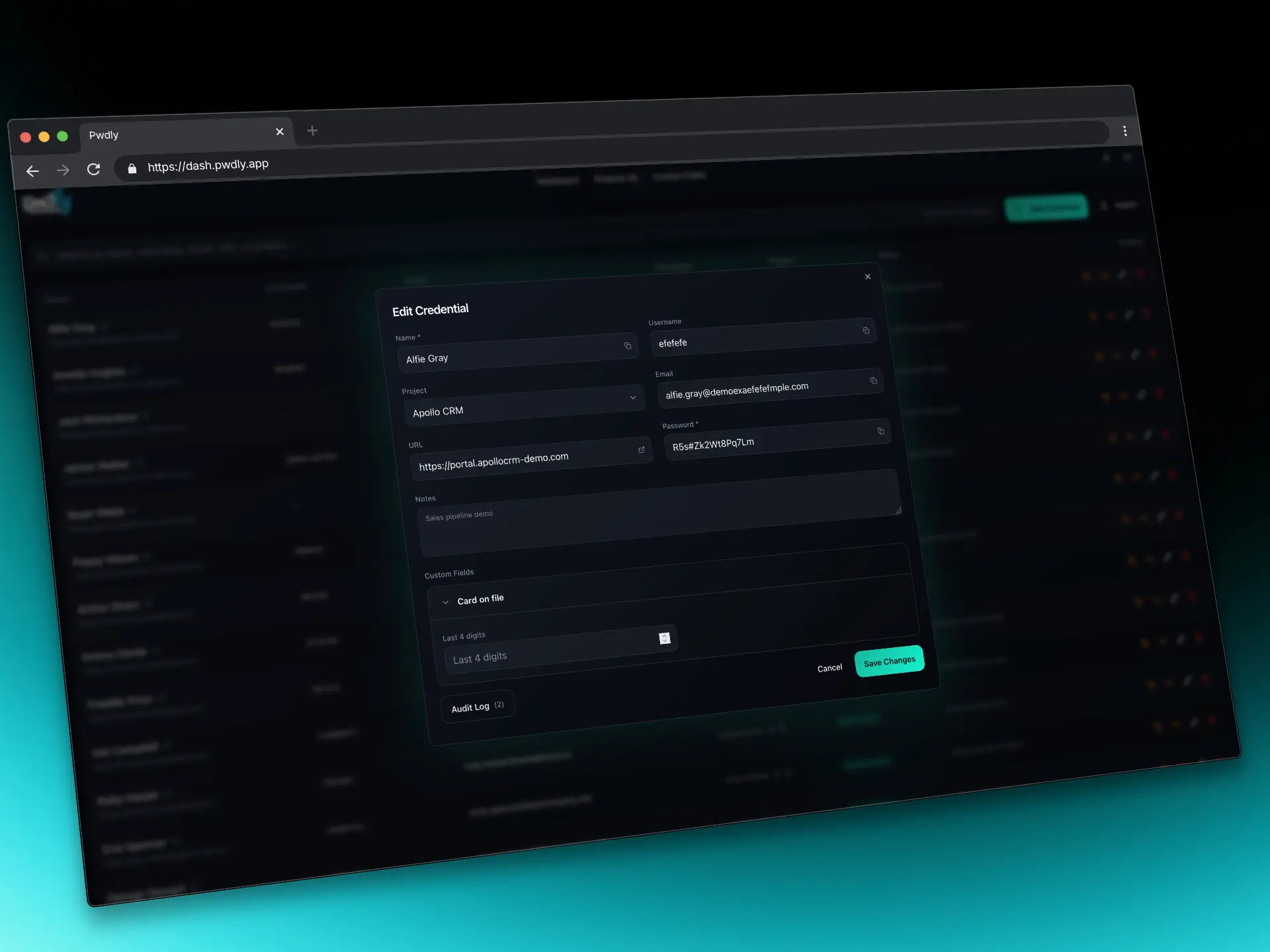
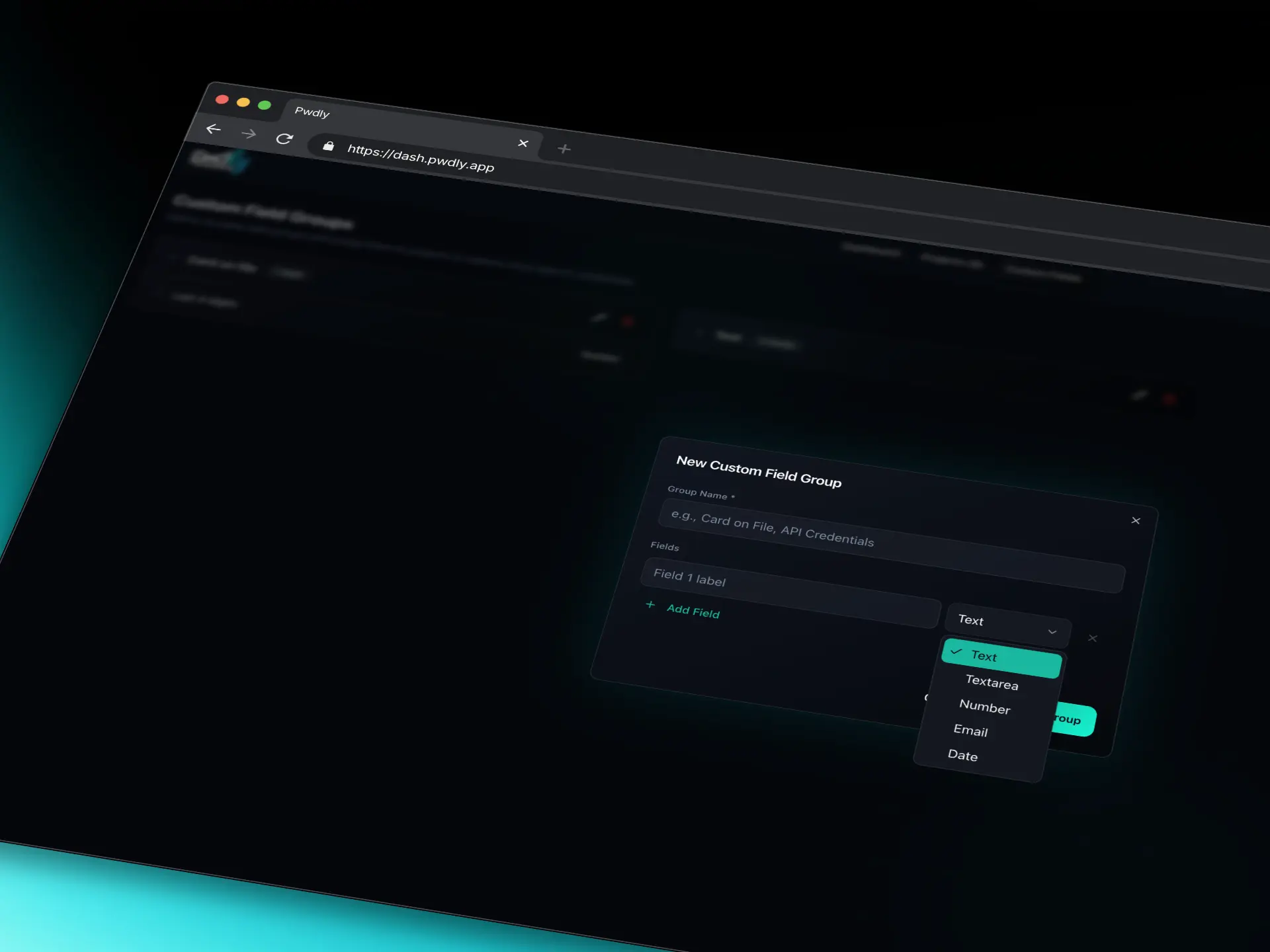
Templates for the credentials you actually use
Define reusable field groups for Card on file, AWS keys, database connections, SSH access or anything else your team touches every day. Consistent. Searchable. Encrypted.
Field group schemas are versioned alongside the project, so adding or renaming a field in a template doesn't break existing entries — older credentials keep their original shape until you next edit them.
Know exactly who signed in, and from where
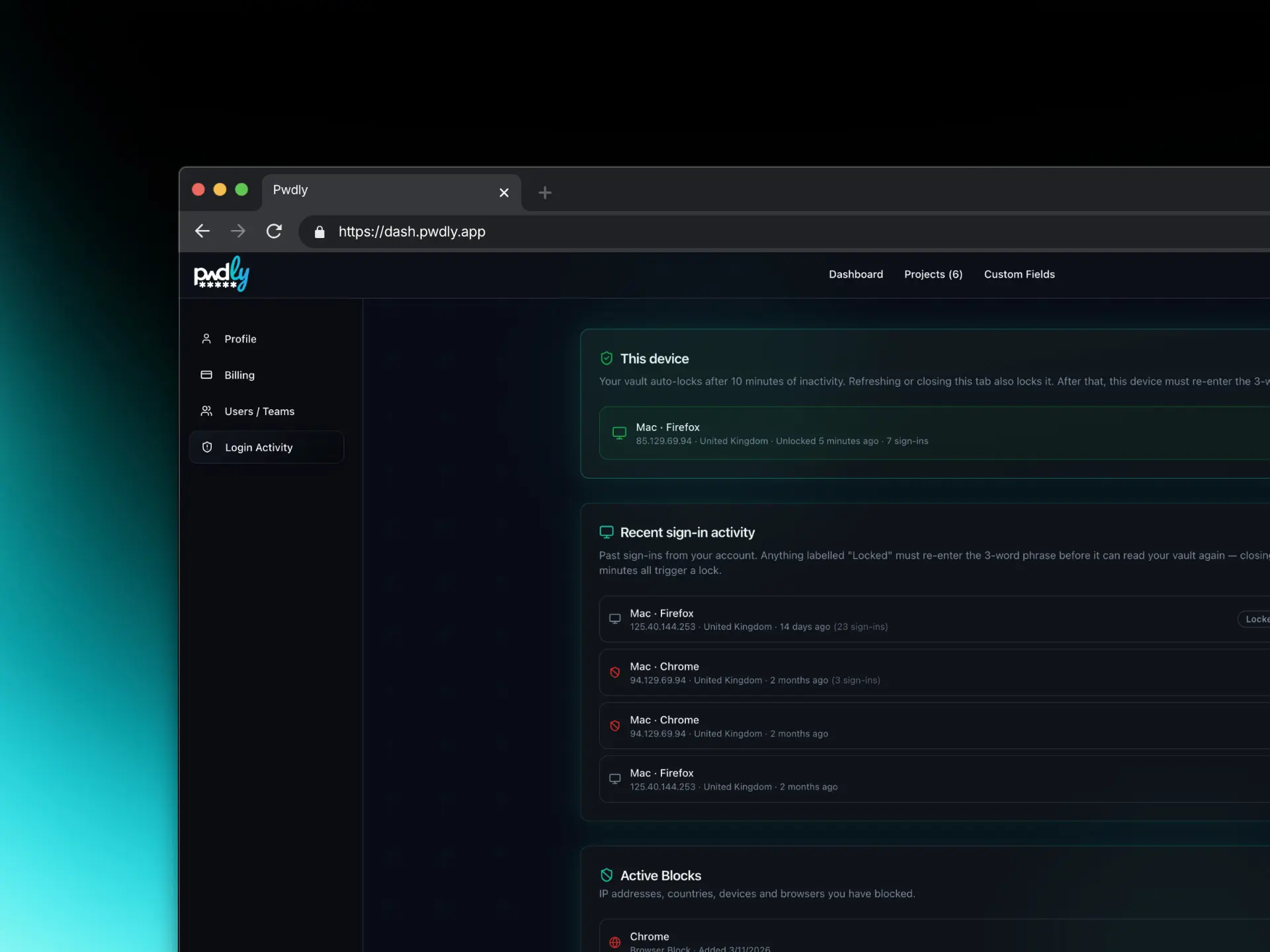
A clean activity log with device, location and time of every login attempt. Email alerts for new locations or devices as it happens. Spot anomalies early — block access at any level.
Each session is logged with device, approximate location and timestamp. A login from an unrecognised device or location triggers an out-of-band email alert so you hear about it before an attacker can act on it.
Autofill, encrypted — for Chrome & Firefox
Unlock once with your 3-word phrase and Pwdly autofills logins, prompts to save new ones, and surfaces a live TOTP/2FA code on the page you're on. Domain-scoped, keyboard-first, and never touches credentials from other sites.
The extension runs the same libsodium pipeline as the web app: every credential is decrypted in the extension's isolated process for a split second at fill time, handed to the form, and the key material is immediately wiped. The popup only opens when a login form is detected on a matching domain — other vault entries are never queried or decrypted.
Read the full extension launch post →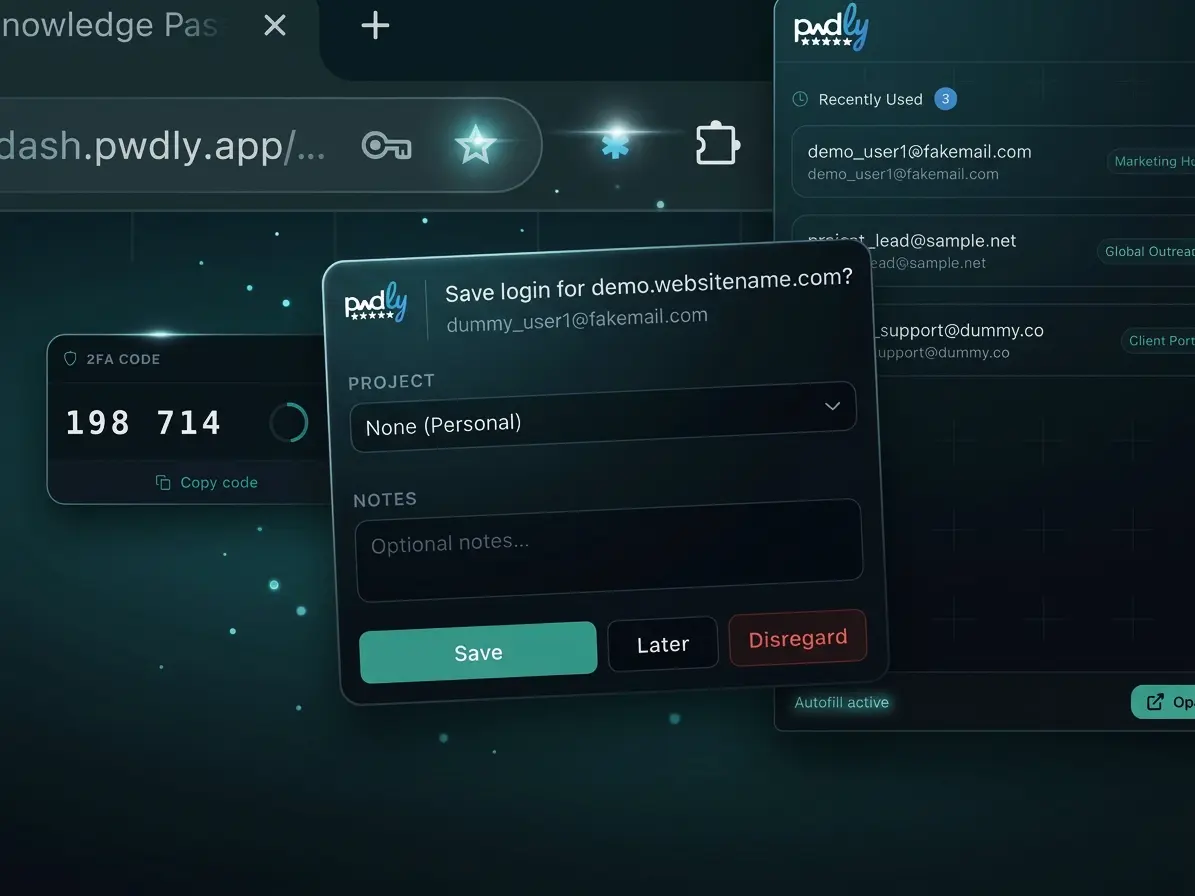
From chaos to secure in minutes
No complicated setup. No enterprise sales calls. Just a password manager that works the way your team does.
Create your account
Sign up in 30 seconds. No credit card required. Your browser generates a random 3-word recovery phrase — the only way to unlock your vault. It's never sent to our servers.
Set up your projects
Create projects for each client, product, or team. Every project is its own encrypted silo — its own Project Key, wrapped by your Master Key. Add credentials, notes, custom fields, or import from CSV, JSON, Chrome or Firefox — all encrypted field-by-field.
Invite your team
Add teammates to specific projects by email. A unique 6-digit code wraps the Project Key via Argon2id and must be shared out-of-band. The invitee's browser unwraps it and re-wraps with their own Master Key — no 3-word phrases are ever shared.
Work securely, together
Credentials sync instantly as encrypted blobs. 2FA is enforced. New devices must be verified. Each team member holds an independent encrypted copy of the Project Key — no ongoing dependency on anyone else's credentials.
Simple pricing, serious security
No hidden fees. Start free with 2 users — pay $2/seat/month when your team grows beyond that. See why we priced it this way.
Free
Perfect for small teams getting started — up to 2 people, no card required.
- 2 users (you + 1 person)
- 5 projects
- Enforced 2FA
- Passkey authentication
- Auto screen-lock
Pro
For growing teams who need more power and flexibility.
- Everything in Free, plus...
- Unlimited users
- Unlimited projects
- Temporary credential sharing links
- Audit trail & activity logs
- Priority support
- $0 for same user joining multiple projects
No credit card required for Free plan • Cancel anytime
Registered in England & Wales · GDPR compliant by design
How we stack up
We're not trying to be everything to everyone. We're building the password manager we always wanted-built for teams, priced fairly. See our security model, our story, or the latest changelog.
| Feature | Pwdly | 1Password | LastPass | Dashlane | NordPass | Bitwarden | Proton Pass |
|---|---|---|---|---|---|---|---|
| Lowest Paid Collaboration Plan | $2.00/user/month | $1.99/user/month | $4.00/user/month | $8.00/user/month | $1.79/user/month | $3.00/user/month | $1.99/user/month |
| True zero-knowledge encryption | |||||||
| Per-project organization | |||||||
| 2FA in free tier | |||||||
| Modern user interface | |||||||
| Team pricing at $2/user or less | |||||||
| Free tier available | |||||||
| Custom fields | |||||||
| Shared TOTP codes in team credentials | Teams plan | ||||||
| Temporary single-use credential sharing | |||||||
| Enterprise hosting options | |||||||
| Open source | |||||||
| Browser extension (Chrome & Firefox) | |||||||
| TOTP / 2FA codes shown in the extension | Premium | ||||||
| Breach monitoring | N/A*Not available with our zero-knowledge architecture. |
* Breach Monitoring: Due to our zero-knowledge architecture, we literally cannot read your data, so we cannot offer breach monitoring.
Last updated April 2026. Comparison based on publicly available information.