Autofill, encrypted: the Pwdly browser extension for Chrome & Firefox
Save logins, autofill credentials and grab 2FA codes without leaving the tab — all wrapped in the same zero-knowledge encryption as the Pwdly vault. Now available for Chrome and Firefox.

Logging in is the moment a password manager either earns its keep or quietly gets in the way. Today we're shipping the part that closes the loop: a Pwdly extension for Chrome and Firefox that captures, fills and protects credentials right where you work — without ever handing the browser the keys to your vault.
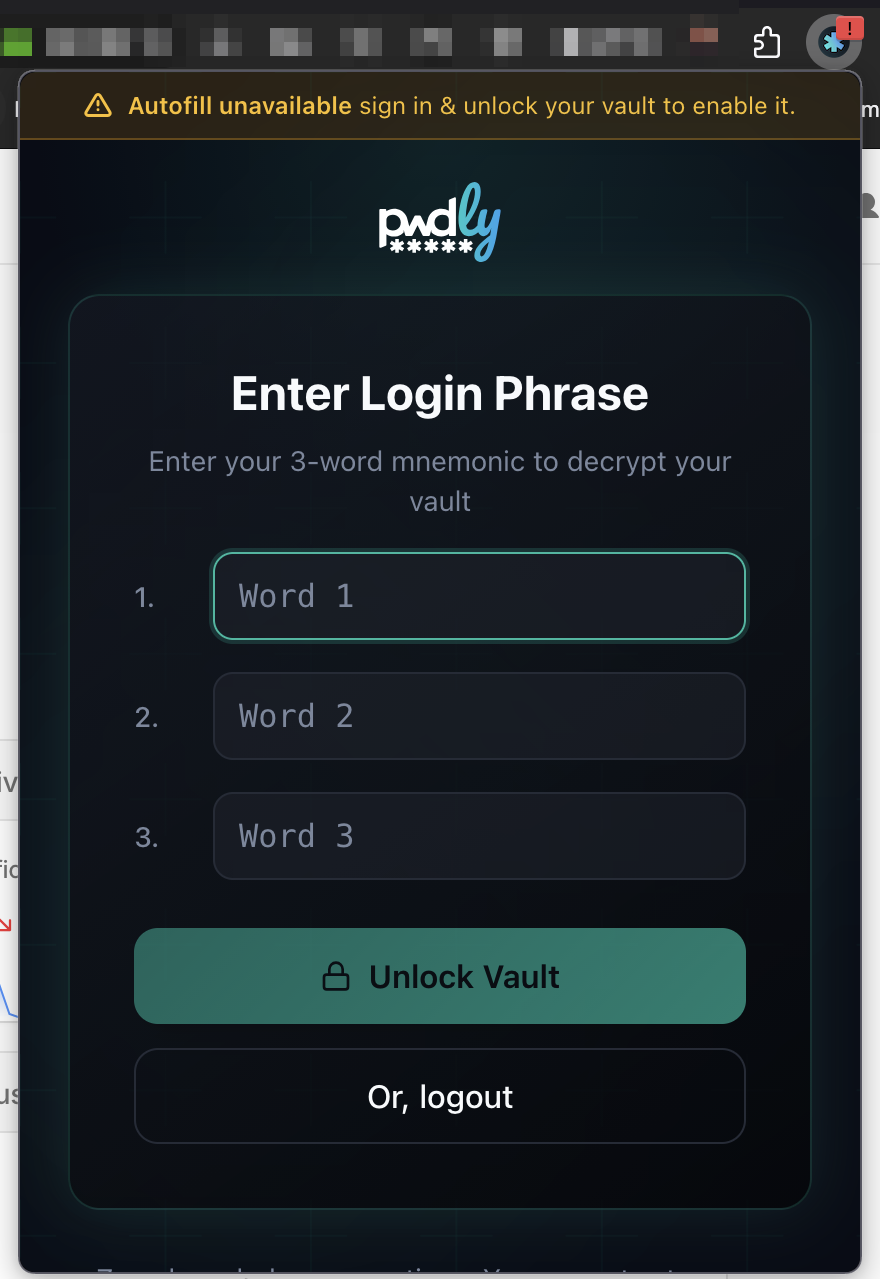
Unlock once per browser session, with your 3-word phrase
The extension uses the same login model as the Pwdly dashboard. At the start of each browser session you enter your 3-word mnemonic phrase to derive the key that decrypts your vault locally. From that point on, the unlocked session is shared across every tab in that browser — open a new tab, switch sites, jump between projects, no re-prompting.
Close the browser and the in-memory key is gone. Next start, you unlock again. Until then, autofill is intentionally disabled and the extension tells you so — no silent fallback, no guessing about what is and isn't protected.
The extension can't read what was already there
A common worry with browser extensions is the blast radius of the install itself. The Pwdly extension is scoped to the credentials it captures and fills — it cannot read passwords already saved in your browser, your other extensions, or your operating system keychain. There is no import-by-stealth and no background scraping.
Smart autofill: only when a login form asks for it
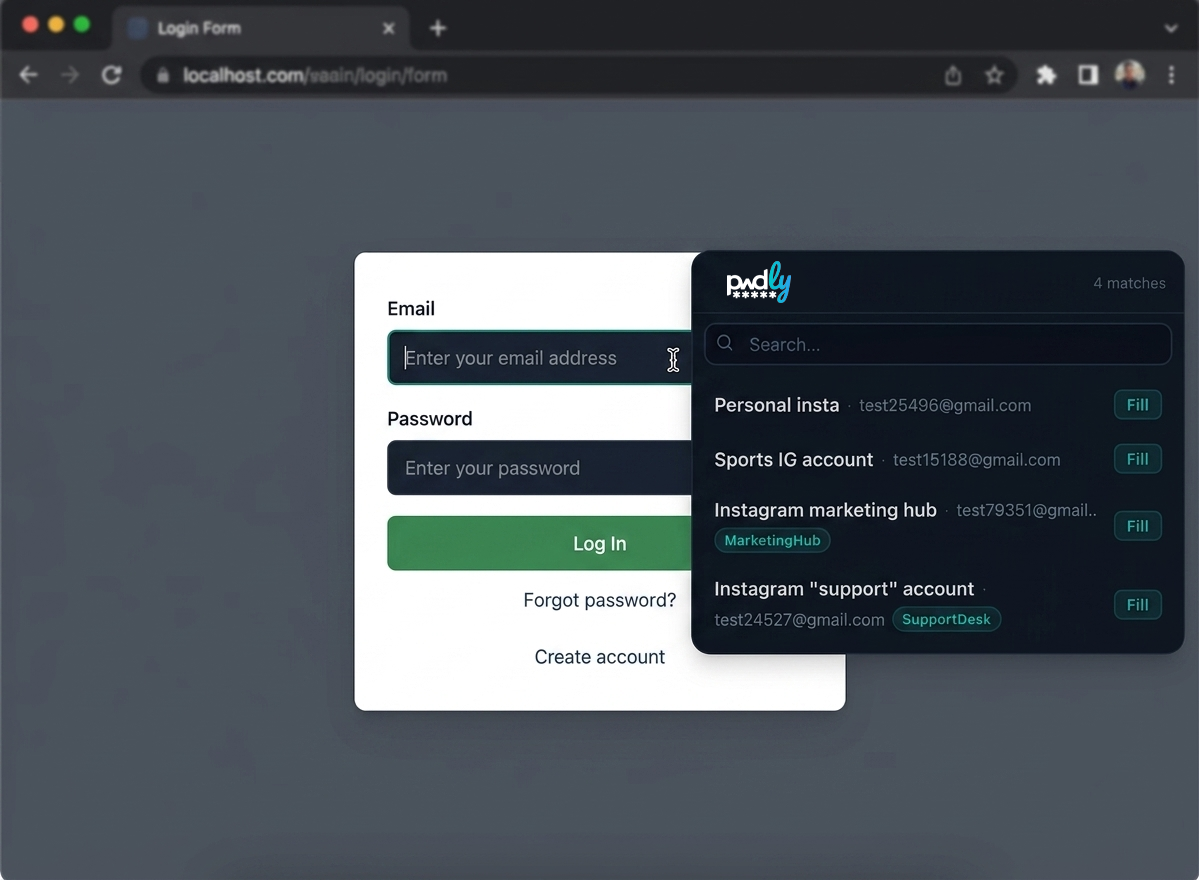
When you land on a site Pwdly already has credentials for, the popup only opens if the page is actually showing a login form. No login form, no popup. And when it does open, it only surfaces credentials matched to the current domain — every other entry in your vault stays untouched and untransmitted.
Keyboard-first by design
The popup is built for people who never want to leave the keyboard:
- Right Arrow jumps from the form into the popup.
- Up / Down moves between matched credentials.
- Enter autofills and submits the login form in one shot.
Search across more than just the username
Got three accounts for the same site? The popup's search box matches against username and email, but also against the credential's Notes and any Custom Fields you've added. Type "marketing", "client A", "founder" — whatever you actually remember — and the right account surfaces immediately.
Decrypt for a split second, then forget
Credentials in the popup are listed by metadata only — the password itself stays encrypted. The moment you click Fill (or hit Enter), Pwdly decrypts that single credential in memory, hands the values to the form fields, and immediately wipes the key material. Next fill starts the cycle from scratch. There is no decrypted cache, no "recently unlocked" pool sitting in RAM.
Capture new logins — encrypted before they go anywhere
When you sign in to a site that isn't in your vault yet, Pwdly detects the new credential and offers to save it. You can pick a project, add optional notes, and hit Save — or defer.
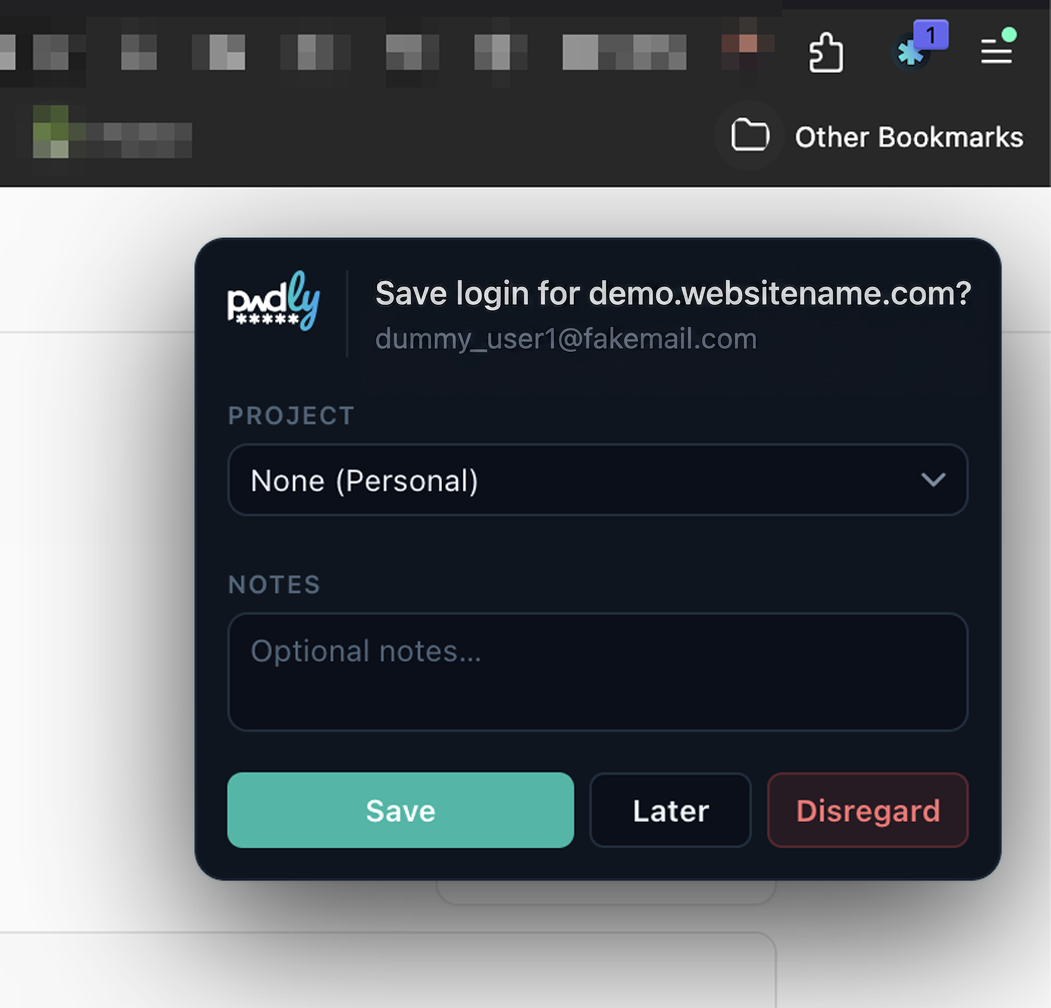
Here's the part that matters: the credential is encrypted with your project key the moment it's captured, before any button is pressed. The encryption isn't tied to the Save action — it's tied to the detection.
- Save sends the ciphertext to your vault under the project you chose.
- Later parks the already-encrypted credential in the extension, ready to commit when you're not mid-task. Useful when you're three meetings deep and don't want to think about taxonomy.
- Disregard wipes the ciphertext locally. Nothing is sent to the server, nothing is queued, nothing recoverable. The capture never existed.
Recently Used: fast autofill, zero leakage
When you land on a site Pwdly already has credentials for, the popup surfaces a Recently Used list scoped to that domain. One click fills the form. You can edit the notes or move the credential between projects from the same panel — handy for the moment you realise a personal login should really sit in a shared client project.
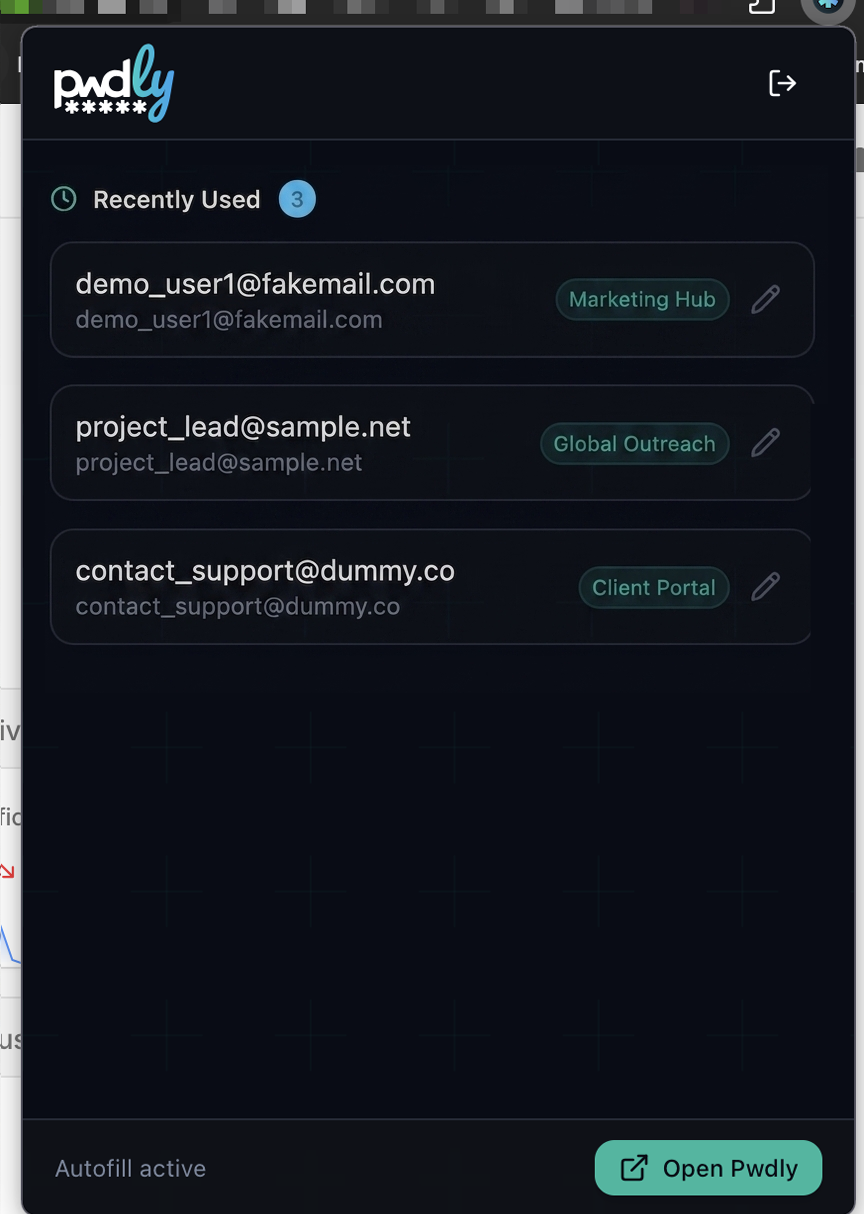
Passwords themselves are never rendered as plaintext in the popup. They're decrypted in memory only at the instant of fill, scoped to the form field that asked for them, then released.
Built-in 2FA: TOTP codes the moment you sign in
If a credential has a TOTP secret attached (see our recent post on Shared TOTP Codes), the extension shows the live 2-factor code the instant autofill completes — already running on the standard 30-second window, ready to copy in one click.
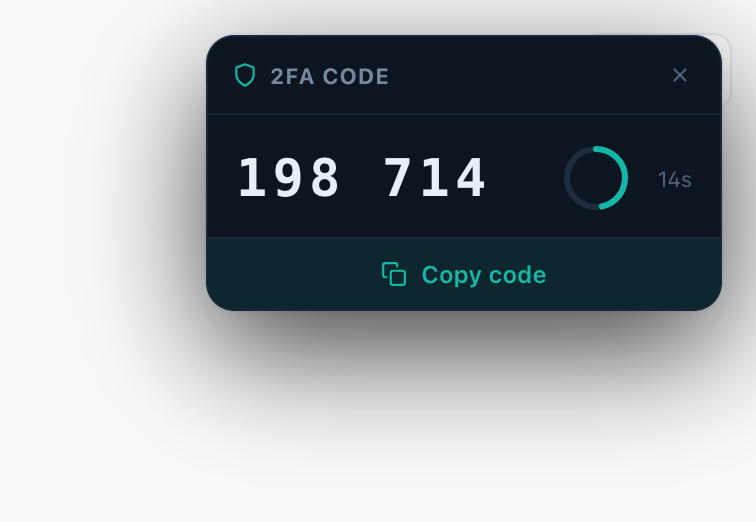
This is the small workflow change that adds up over a week. No flipping to the Pwdly dashboard to retrieve a 2-factor code. No reaching for your phone. No re-typing six digits while the countdown taunts you. The same multi-factor authentication (MFA) secret that protects the account is generated right where you're signing in, decrypted locally, and discarded as soon as the code expires.
Because TOTP secrets live in the encrypted credential — not in a separate authenticator silo — every team member with project access gets the same one-tap 2FA experience, without sharing screenshots of QR codes or rotating numbers in chat.
What's in the threat model
- Zero-knowledge end to end. The server only ever sees ciphertext. Keys are derived from your 3-word phrase via Argon2id and never leave your device.
- Capture-time encryption. Credentials are sealed the moment they're detected, not when you click Save. Disregard means the ciphertext is destroyed locally.
- Per-project keys. Choosing a project at capture time scopes the credential to that project's key. Compromise of one project doesn't unlock the rest.
- No autofill until unlocked. If the vault is locked, the extension says so plainly. There is no silent fallback to an unprotected cache.
- No reading what isn't ours. The extension cannot access passwords stored by the browser, other extensions, or the OS keychain.
Available now, free tier included
The Pwdly extension is live on the Chrome Web Store and the Firefox Add-ons site, and it's available on every plan — including Free. Install it, unlock with your 3-word phrase, and let autofill, encrypted capture and built-in TOTP do the rest.
Install it now
Get the extension from the official stores:
→ Install for Chrome / Edge / Brave
Already a Pwdly user? Unlock with your 3-word phrase and you're done. New here? Create a free account — the extension works on every plan, free tier included.